Achieving perfect stereo imaging is not just about high-quality equipment; it hinges on precise speaker placement. We recognize that small adjustments in distance, angle, and positioning can considerably impact soundstage accuracy. If we want to master the art of spatial accuracy, we must consider the nuances of our listening environment and how subtle changes influence perception. The key to ideal sound clarity lies in methodical setup and ongoing fine-tuning—so, how exactly can we position our speakers for the best results?
Key Takeaways
- Place speakers at equal distances from the listening position, forming an equilateral triangle for balanced stereo imaging.
- Align speaker drivers toward your ears (toe-in) to enhance imaging and reduce phase issues.
- Position speakers at ear level and avoid reflective surfaces nearby to minimize sound reflections.
- Create a symmetrical environment by reducing furniture and acoustic reflections that interfere with sound clarity.
- Conduct listening tests and fine-tune placement based on soundstage and image stability for optimal stereo imaging.
Why Proper Speaker Placement Matters for Stereo Imaging
Have you ever noticed how the placement of speakers can dramatically influence the clarity and spatial accuracy of stereo sound? Proper speaker placement is crucial for achieving excellent stereo imaging. Speaker symmetry ensures that each speaker produces sound with equal distance and height, preventing phase issues that distort image localization. Furniture interference can cause sound reflections and absorption, disrupting direct sound paths and muddying stereo separation. Precise positioning minimizes these effects by maintaining consistent distances from the listener and reducing obstacles. When speakers are symmetrically aligned and free from furniture interference, stereo imaging becomes more accurate, with a clear soundstage and precise placement of instruments and vocals. Correct placement ultimately enhances listening accuracy and overall sound quality.
Assess Your Listening Space and Environment
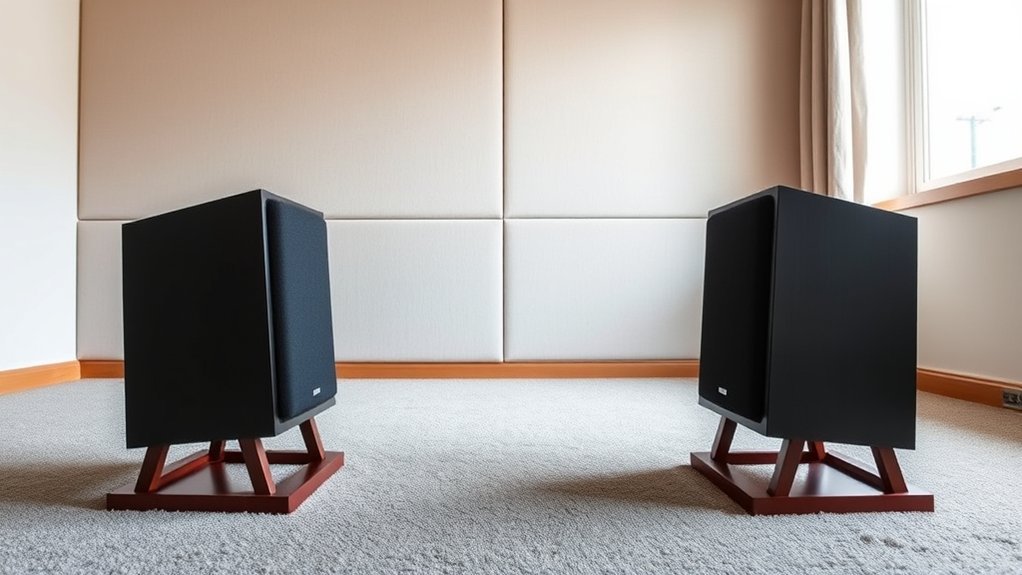
To optimize speaker placement, we first need to accurately assess our listening space, considering room dimensions and shape. We must identify and reduce acoustic reflections by using appropriate treatments or repositioning speakers and furniture. Finally, pinpointing the listening sweet spot guarantees accurate stereo imaging and sound balance.
Evaluate Room Dimensions
Evaluating your listening space begins with measuring its dimensions accurately, as room size and proportions considerably influence sound behavior and stereo imaging. Precise assessment of room length, width, and height helps identify potential acoustic challenges and best speaker placement points. Larger rooms may require strategic furniture placement to prevent sound diffusion and maintain clarity, while smaller rooms demand careful positioning to avoid sound congestion. Consider how furniture placement affects sound reflection paths and absorption, as these factors impact stereo imaging accuracy. By understanding the room’s dimensions and layout, we can better determine the ideal speaker distance from walls and each other, ensuring balanced sound dispersion. Accurate room measurement is essential for establishing a foundation for effective speaker positioning and achieving ideal stereo imaging quality.
Minimize Acoustic Reflections
Understanding your room’s acoustic environment is vital for ideal stereo imaging. Reflection reduction is essential to prevent sound waves from bouncing unpredictably, which can distort imaging accuracy. To achieve this, we focus on minimizing early reflections that interfere with direct sound. Proper speaker isolation, using stands or pads, prevents vibrations from transferring to furniture or surfaces, reducing additional acoustic reflections. Positioning speakers away from reflective surfaces like walls or windows limits sound bouncing back into the listening area. Additionally, treating reflective surfaces with absorptive materials or diffusers can considerably improve clarity. By carefully evaluating the room’s reflective tendencies and implementing reflection reduction strategies, we create a controlled environment that preserves stereo image precision and enhances overall sound quality.
Identify Listening Sweet Spot
Have you identified the most suitable position for your ears within the room? Establishing your listening sweet spot requires precise assessment of your space. First, confirm your speakers are at the correct speaker height, aiming for the tweeters to align with your ear level. This alignment enhances soundstage and stereo imaging. Next, evaluate your cable quality; high-quality, shielded cables reduce interference and signal loss, guaranteeing accurate sound reproduction. Position yourself at a point where sound from both speakers converges centrally, creating a balanced stereo image. Avoid placing yourself too close to walls or reflective surfaces, which can distort sound. Adjust your seating until the sound appears coherent and focused, confirming that your listening position is ideal for detailed listening and accurate stereo imaging.
Position Your Speakers for Optimal Soundstage
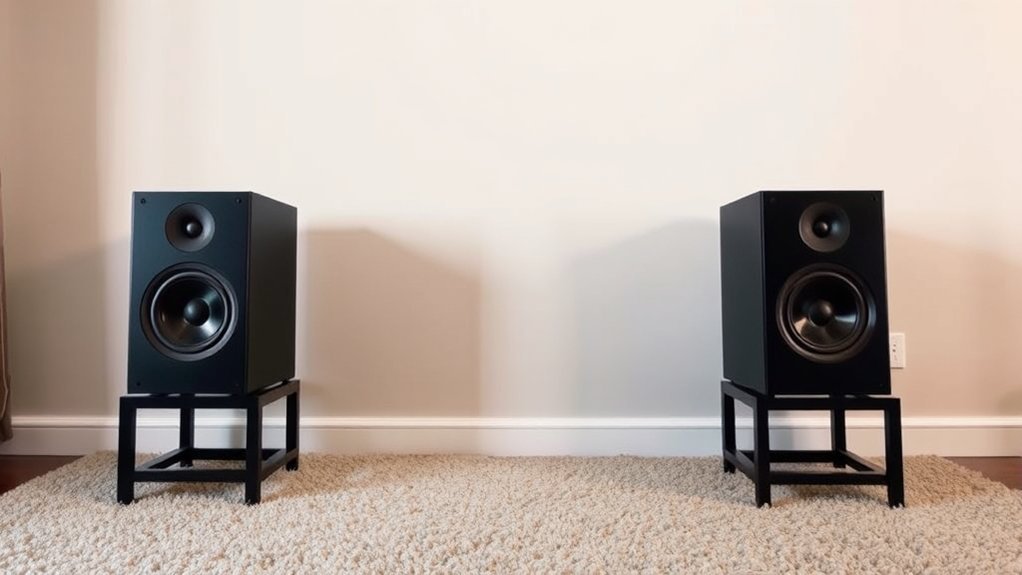
To achieve a ideal soundstage, we position our speakers at equal distances from the listening position, ensuring balanced sound distribution. Proper toe-in aligns the speakers’ drivers toward the listener’s ears, sharpening stereo imaging and reducing phase issues. Precise placement of these elements is essential for accurate and cohesive stereo reproduction.
Equal Distance From Listener
Positioning your speakers at an equal distance from the listener guarantees that sound waves reach both ears simultaneously, creating a coherent stereo image. Proper distance calibration guarantees ideal speaker symmetry, which is vital for accurate stereo imaging. When speakers are equidistant, phase differences are minimized, reducing localization errors and enhancing soundstage depth. Precise measurement of the distance from each speaker to the listening position is essential; even small discrepancies can distort imaging. Use a tape measure for accurate calibration, aligning both speakers so they are the same distance from the listener. This precise setup helps establish a balanced soundfield, ensuring that audio cues are correctly perceived, and stereo imaging remains clear, stable, and natural.
Maintain Correct Toe-In
Achieving ideal soundstage requires carefully adjusting the speakers’ toe-in angle so that their drivers direct sound toward the listening position. Proper toe-in enhances stereo imaging and maintains speaker isolation from unwanted reflections. Too much toe-in narrows the soundstage, while too little causes diffuse imaging. To visualize this, consider the following:
| Toe-in Angle | Effect on Soundstage | Impact on Speaker Isolation | Cable Management Implication |
|---|---|---|---|
| Slight (10°) | Wide, natural | Minimal reflection | Easy to organize |
| Moderate (20°) | Precise imaging | Reduced interference | Slight adjustment needed |
| Excessive (30°) | Narrow focus | Increased reflections | Closer proximity required |
| No toe-in | Diffuse soundstage | High reflections | Minimal impact |
Adjusting toe-in with precision improves stereo imaging, ensuring clean speaker separation and ideal soundstage.
Adjust Speaker Angles and Distances for Clarity
Ensuring ideal clarity in stereo imaging requires careful adjustment of speaker angles and distances. We start by positioning the speakers so that their tweeters are at ear level, optimizing speaker height for direct sound delivery and minimizing acoustic reflections. The speakers should be equidistant from the listening position, forming an equilateral triangle for balanced stereo imaging. Proper cable management ensures secure connections and prevents movement that could alter angles or distances over time. Fine-tuning the toe-in angle directs sound toward the listening position, enhancing clarity and imaging precision. Regularly check and maintain consistent spacing and alignment, as even minor deviations can distort stereo balance. Precise attention to these parameters guarantees a clean, focused soundstage with accurate spatial representation.
Fine-Tune Your Setup With Listening Tests
To optimize your stereo imaging, it’s essential to conduct targeted listening tests and make adjustments based on direct auditory feedback. We recommend focusing on precise subwoofer integration to guarantee seamless bass response without muddying stereo images. During your tests, evaluate the balance between the subwoofer and main speakers, adjusting placement and volume for clarity and coherence. Surround sound calibration also plays a critical role; verify that all channels are correctly balanced and that soundstage depth aligns with your acoustic environment. Use test tracks with distinct stereo cues, focusing on how well sound sources are localized and if the imaging remains stable across different frequencies. Fine-tuning based on these observations will considerably enhance stereo precision and overall audio fidelity.
Troubleshooting Common Stereo Imaging Issues
When stereo imaging begins to falter, pinpointing the root cause requires a systematic approach. First, assess whether equipment upgrades are necessary; outdated or incompatible components can distort imaging accuracy. Next, evaluate your room acoustics—poor acoustic treatments may cause reflections and echoes that disrupt stereo balance. Check speaker placement, ensuring they’re equidistant from the listening position and aligned properly. Verify that the listening position forms an equilateral triangle with the speakers. If issues persist, consider implementing acoustic treatments like diffusers or absorbers to control reflections. Also, test your cables and connections for integrity. By methodically addressing these factors—upgrades, acoustic treatments, and placement—you can systematically eliminate common stereo imaging issues and restore precise, balanced sound.
Frequently Asked Questions
What Are the Best Speaker Types for Optimal Stereo Imaging?
We recommend using bookshelf or monitor speakers for ideal stereo imaging, ensuring proper speaker height aligned with ear level and high-quality cables, which minimize signal loss and preserve accurate sound staging for precise, immersive audio experiences.
How Does Room Acoustics Affect Speaker Positioning?
Room acoustics considerably impact speaker positioning; room reflection causes sound distortion, while sound absorption reduces reflections, enabling us to maximize placement for clear stereo imaging. We adjust position and absorbent materials accordingly for ideal sound clarity.
Can Furniture Placement Impact Stereo Sound Quality?
Furniture arrangement greatly impacts stereo sound quality by altering wall reflections and sound diffusion. Properly optimized, it minimizes acoustic interference, enhances clarity, and guarantees accurate stereo imaging through strategic placement relative to speakers and reflective surfaces.
How Often Should I Readjust Speaker Positions?
We should readjust speaker positions during regular speaker calibration, ideally every few months, to account for changes in our listening environment. Precise calibration guarantees ideal stereo imaging, maintaining sound accuracy despite environmental shifts.
Are There Specific Brands Recommended for Precise Stereo Imaging?
Think of speaker brands as the keys to perfect stereo imaging; we recommend models renowned for precise speaker calibration and superior audio cable quality, ensuring clarity and accurate soundstage, making your listening experience truly immersive and technically sound.
Conclusion
Ultimately, mastering speaker placement is like tuning an intricate instrument—each adjustment fine-tunes the symphony of sound, revealing a vivid, three-dimensional landscape. As we align speakers and refine angles, we craft a precise sonic canvas where every note finds its rightful place. This meticulous process transforms our listening space into an auditory gallery, where clarity and depth are not mere illusions but the inevitable outcome of deliberate, informed positioning.