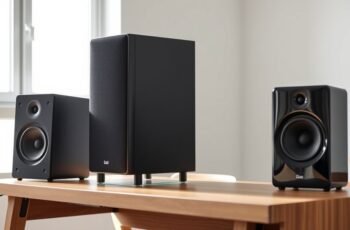
Achieving ideal sound quality from bookshelf speakers can be more complex than it initially appears, often requiring meticulous adjustment and precise measurements. Proper calibration guarantees balanced, clear audio, but the process involves careful positioning, equipment setup, and fine-tuning. Understanding the technical aspects of your speakers and room acoustics is essential to avoid common pitfalls. To truly master this process and realize the full potential of your home theater system, there are specific steps and tools that demand attention.
Key Takeaways
- Position speakers at ear level, equidistant from the listening spot, and aim tweeters directly at the listener.
- Minimize reflective surfaces and obstructions; use acoustic treatments to reduce room reflections.
- Use a calibrated microphone and room correction software to analyze and generate frequency response adjustments.
- Fine-tune gain, EQ, and speaker orientation based on measurements and listening tests for balanced sound.
- Conduct frequency sweeps and listen to reference tracks to verify consistent, accurate sound across all channels.
How to Prepare Your Room and Equipment for Speaker Calibration
Before beginning the calibration process, it’s essential to optimize both your room environment and equipment setup to guarantee accurate results. Start by evaluating your decorating aesthetics to confirm your space minimizes reflective surfaces and acoustic interference. Proper speaker cable management is critical; neatly route cables along walls or through cable conduits to prevent tangling and reduce electromagnetic interference. This not only improves sound clarity but also maintains a clean, professional appearance. Position your bookshelf speakers at ear level, equidistant from the primary listening position, to ensure balanced sound distribution. Additionally, eliminate unnecessary objects that could cause sound reflections. A well-organized, acoustically optimized environment provides a stable foundation for precise calibration, confirming your speakers deliver their intended performance with clarity and accuracy.
Understanding Your Bookshelf Speakers’ Frequency Response and Sound Characteristics
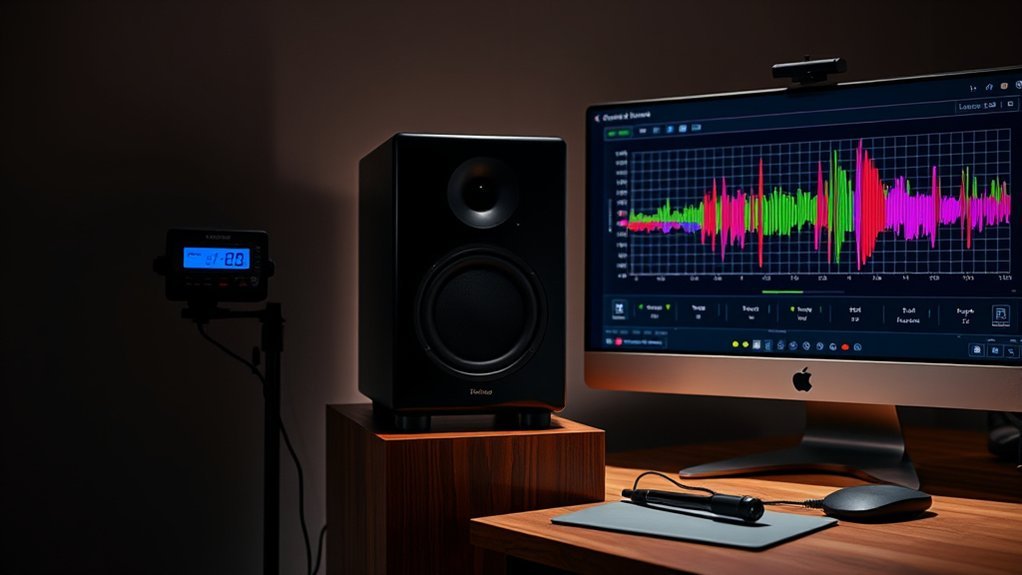
Understanding the frequency response and sound characteristics of your bookshelf speakers is fundamental to achieving accurate calibration. The frequency range indicates the span of audible sound, typically from 60 Hz to 20 kHz, and reveals the speaker’s ability to reproduce bass, midrange, and treble accurately. The sound signature describes the tonal balance and coloration inherent to the speakers, which influences how they project dialogue, music, and effects. Recognizing these traits allows us to identify areas where the speakers may emphasize or attenuate certain frequencies. Precise knowledge of the frequency response helps us tailor the calibration process, ensuring a balanced, natural soundstage. Ultimately, understanding these elements enables us to optimize speaker settings for a more authentic and immersive home theater experience.
Using Calibration Tools: Microphones and Room Correction Software Explained
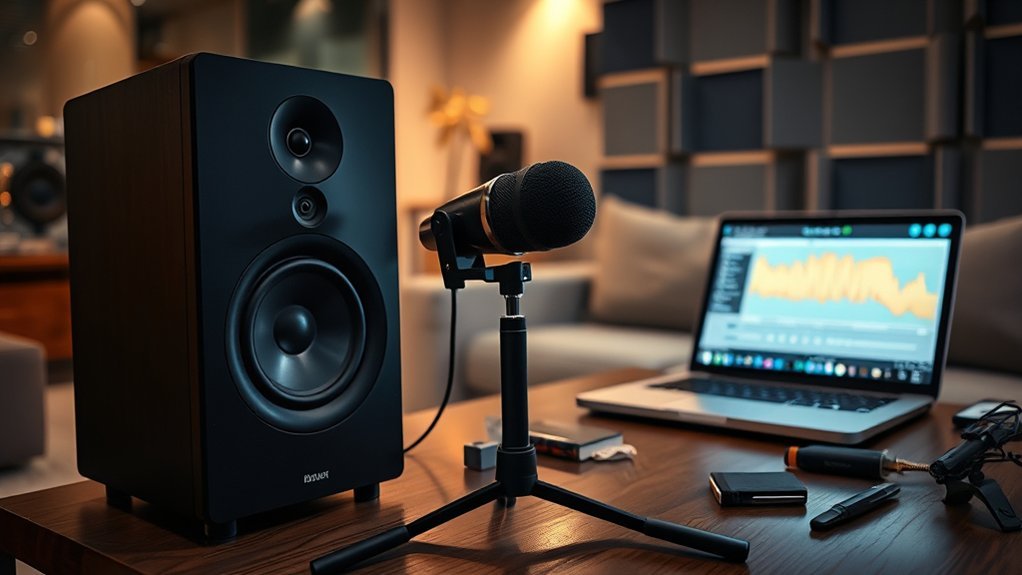
To accurately calibrate your bookshelf speakers, we rely on specialized measurement tools such as calibrated microphones and advanced room correction software. Precise microphone placement is critical; positioning the microphone at ear level and equidistant from each speaker guarantees accurate sound capture. This setup minimizes measurement errors, providing reliable data for calibration. The room correction software analyzes the microphone’s input to identify frequency response anomalies caused by room acoustics. Compatibility between the software and your system hardware is essential for seamless operation, allowing the software to generate correction filters tailored to your environment. These filters compensate for room-induced sound distortions, resulting in a balanced, natural soundstage. Using calibrated microphones and compatible software ensures precise, repeatable calibration, optimizing your bookshelf speakers for an immersive home theater experience.
Step-by-Step Guide to Adjusting Speaker Placement and Settings
With calibration tools properly set up, the next step is to fine-tune your speaker placement and settings for peak sound quality. Start by adjusting the speaker orientation so that tweeters are aimed directly at the listening position, guaranteeing accurate high-frequency response. Proper speaker positioning minimizes reflections and maximizes clarity. Next, address cable management; secure and organize all speaker cables to prevent interference and accidental displacement. Keep cables away from heat sources and ensure they are untangled to maintain signal integrity. Confirm that each speaker is placed at ear level and equidistant from the primary listening position. These adjustments optimize soundstage and imaging, providing a precise, immersive listening experience essential for high-quality home theater audio.
Fine-Tuning Sound Levels and Balance for Optimal Home Theater Audio
Achieving balanced sound levels across your home theater system requires precise adjustment of individual speaker volumes and overall audio output. We recommend starting with a calibrated reference level, then fine-tuning using a sound meter or calibration microphone. For ideal bass, focus on bass enhancement by adjusting the subwoofer level to ensure tight, controlled low frequencies without overpowering midrange clarity. Treble adjustment is equally critical; increase treble gradually to enhance clarity and detail, avoiding harshness or sibilance. Equalizing these parameters ensures a cohesive soundstage, with clear dialogue and well-defined effects. Continuously test with diverse audio content to confirm balance, making small incremental adjustments until the sound is accurate, immersive, and free of distortion or imbalance.
Common Calibration Mistakes and How to Avoid Them
Ignoring room acoustics, improper speaker placement, and rushing the calibration process are common errors that compromise sound quality. These mistakes can lead to inaccurate measurements and unbalanced audio output. To guarantee precise calibration, we must address each factor systematically and avoid shortcuts.
Ignoring Room Acoustics
Many calibration efforts overlook the influence of room acoustics, leading to inaccurate sound reproduction. Ignoring room acoustics neglects how soundproofing challenges and room geometry impact frequency response and clarity. Reflective surfaces and room dimensions cause standing waves and resonances, distorting audio signals. Failing to account for these factors results in overemphasized bass or uneven sound distribution. Aesthetic considerations often influence speaker placement, but neglecting room treatment—such as diffusers or absorbers—can exacerbate acoustic issues. Proper calibration requires understanding how room characteristics alter sound waves, ensuring adjustments compensate for these effects. Addressing room acoustics is essential for achieving a balanced soundstage, as ignoring them compromises calibration accuracy and ultimately degrades the overall home theater experience.
Overlooking Speaker Placement
Speaker placement markedly influences calibration accuracy, yet it’s a common oversight that can undermine sound quality. Incorrect positioning can cause uneven sound distribution and muddled imaging. To avoid this, consider these key points:
- Optimal positioning: Place bookshelf speakers at ear level and equidistant from the listening position, ensuring symmetrical placement for balanced soundstage.
- Minimize obstructions: Keep cables neatly managed to prevent tripping hazards and maintain speaker aesthetics, which can influence perceived sound clarity.
- Consistent spacing: Maintain consistent distance from walls to reduce boundary effects that may color the sound.
Proper placement combined with effective cable management enhances both sound precision and visual appeal, leading to more accurate calibration and an improved home theater experience.
Rushing Calibration Process
Rushing through the calibration process often leads to inaccuracies that compromise sound quality, as it prevents thorough assessment and adjustment of key parameters. Hasty calibration ignores critical steps like verifying speaker aesthetics alignment and cable management, which influence sound dispersion and system stability. Proper calibration requires patience to ensure each parameter is optimized, avoiding common mistakes such as skipping measurements or ignoring room acoustics.
| Mistake | Consequence | Solution |
|---|---|---|
| Overlooking cable management | Interference and signal degradation | Organize cables for clarity and stability |
| Ignoring speaker aesthetics | Uneven sound dispersion | Adjust speaker angles precisely |
| Rushing measurement steps | Inaccurate calibration results | Follow calibration sequence meticulously |
| Skipping room correction | Unbalanced sound field | Use room correction tools diligently |
| Neglecting amplifier settings | Sound distortion | Fine-tune gain and EQ settings |
Verifying Your Calibration and Testing Your Sound Quality
After completing the calibration process, it’s essential to verify that your bookshelf speakers are properly balanced and operating as intended. Start by conducting a frequency sweep test to confirm that sound levels are consistent across all channels, ensuring your soundproofing techniques haven’t introduced unintended acoustic effects. Next, listen to reference audio tracks with diverse sound profiles to detect any distortion or imbalance. Consider the speaker cable types used, as poor connections can compromise sound quality. Finally, perform a test with a calibration microphone or software to measure output accuracy, adjusting levels as needed. These steps help identify issues early, ensuring your calibration remains precise and your home theater delivers ideal sound performance.
Frequently Asked Questions
What Are the Best Calibration Tools for Beginners?
We recommend beginner-friendly calibration tools like smartphone apps and calibration software that guide speaker placement and automatic adjustments, ensuring precise sound balance for your bookshelf speakers, making setup straightforward and technically accurate for ideal home theater performance.
How Often Should I Recalibrate My Bookshelf Speakers?
We recalibrate our bookshelf speakers every six months, treating the process like fine-tuning a compass, ensuring ideal speaker placement and minimizing sound reflection, which keeps our home theater sound precise and immersive.
Can Room Acoustics Affect Calibration Accuracy?
Room reflection and speaker placement considerably impact calibration accuracy, as reflective surfaces alter sound waves. Precise speaker positioning minimizes room reflection effects, ensuring calibration adjustments truly optimize sound quality within the specific acoustics of your space.
What Is the Ideal Listening Position for Calibration?
Did you know that improper speaker placement can reduce sound quality by up to 50%? For calibration, position speakers at ear level, aligning with listening height, and guarantee they form an equilateral triangle with your seating for ideal sound.
How Do I Troubleshoot Uneven Sound After Calibration?
If sound remains uneven, we check speaker placement and guarantee consistent sound frequency response across all units. Re-adjust positioning, verify calibration settings, and use a sound meter to identify and correct frequency disparities for ideal balance.
Conclusion
By meticulously calibrating our bookshelf speakers, we transform our home theater into an immersive audio sanctuary—comparable to a professional sound studio. Precise placement, thorough calibration, and regular checks guarantee crystal-clear dialogue and rich, balanced sound. Remember, even minor adjustments can make a monumental difference, elevating your listening experience from good to jaw-droppingly extraordinary. Stay diligent, trust the process, and enjoy the audiophile-level quality that truly brings your movies and music to life.