Have we been searching for a compact speaker that actually sounds big, fits almost anywhere, and responds to our voice without fuss?

What Is the Sonos One (2019) – Black?
When we talk about the Sonos One (2019) – Black, we are talking about a small, smart speaker that tries to punch way above its size. It aims to blend high-quality audio with hands-free voice control, all wrapped in a minimal, almost understated design.
This version gives us built‑in Amazon Alexa, Apple AirPlay 2 support, and seamless integration with the wider Sonos ecosystem. In other words, it is built to be the core of a modern, connected sound system.
Design and Build Quality
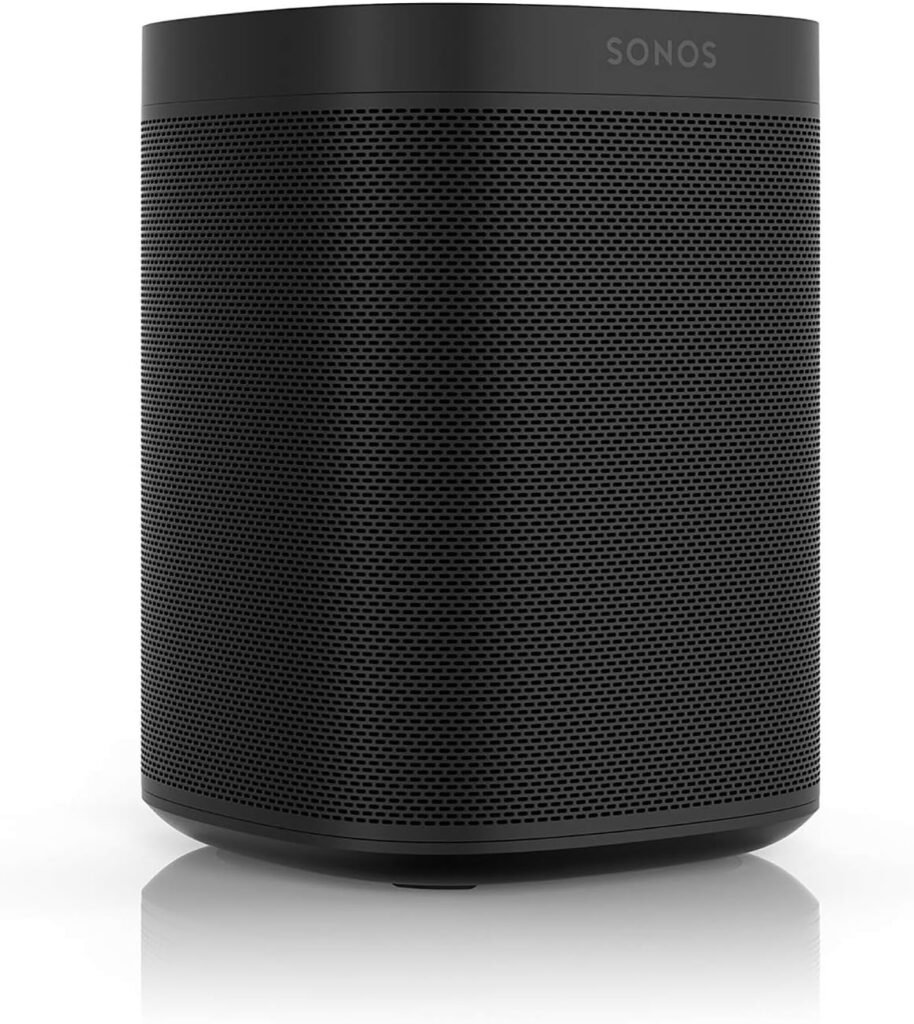
Sonos has a reputation for clean, modern design, and the Sonos One (2019) continues that tradition. The matte black finish, subtle logo, and rounded corners feel intentionally minimal rather than flashy.
We notice right away that it feels solid and dense when we pick it up. The weight and build quality give us confidence that this is not a flimsy gadget we will want to replace after a year.
Compact Footprint for Real-World Spaces
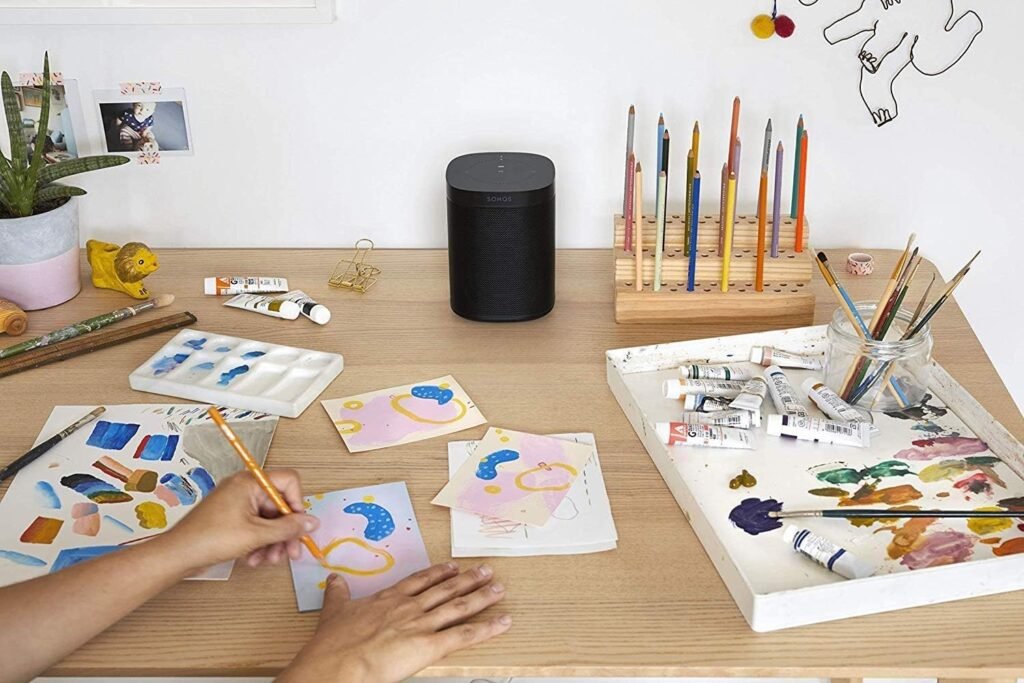
The footprint is small enough to fit comfortably on a kitchen counter, bedside table, or office shelf. It looks at home next to a stack of books or a monitor and does not scream for attention.
This compact size matters because we can actually place it where we live our daily life—near the coffee machine, on a bathroom shelf, or in a corner of the living room—rather than re-arranging furniture to make space.
Controls and Indicators
On the top, we get touch controls for play/pause, volume up/down, and track skipping, along with a dedicated microphone button. These are capacitive touch areas rather than mechanical buttons, so there are no clicks, just silent taps.
Subtle LEDs indicate whether the mic is active, whether the speaker is muted, and when it is listening. We appreciate that the mic light is tied to the hardware mic control, meaning when the light is off, the mic is truly off.

Sound Quality: Room-Filling Audio in a Small Package
Sound is the main reason we are considering a Sonos product, and the Sonos One (2019) aims to give us rich, detailed audio that still feels full at lower volumes.
We find that voices in podcasts and vocals in music sound especially clear, which is important for both casual listening and spoken-word content.
Balance of Bass, Mids, and Highs
The Sonos One leans toward a balanced tuning rather than boomy bass or overly bright highs. Bass is present and punchy for a speaker of this size, but not overpowering. Mids stay clean, which helps instruments and dialogue stand out, while the highs add clarity without harshness.
For small to medium rooms, the sound feels surprisingly full. It will not replace a full-blown hi-fi system, but for everyday listening, it feels more refined than many competing smart speakers.
Performance at Different Volumes
At low to moderate volume levels, we notice that detail stays intact; music does not become muddy, which is perfect for late-night listening or when we want background music without overpowering conversation.
When we turn it up, the Sonos One holds together better than expected. There is a limit to how loud a compact speaker can go, but we can comfortably fill a living room or kitchen with sound before distortion appears.
Voice Control with Amazon Alexa
One of the headline features is that Amazon Alexa is built right in. This means the Sonos One (2019) behaves much like an Echo device, but with Sonos-grade audio.
We can ask it to play music, adjust volume, turn smart lights on or off, set timers, or ask about the weather, all completely hands free.
Everyday Hands-Free Use
In day-to-day life, we find ourselves using Alexa on the Sonos One to:
- Start playlists or radio stations while our hands are busy cooking
- Set multiple timers in the kitchen
- Check news briefings in the morning
- Ask for the time, date, or quick facts
- Control compatible smart home devices
This combination of voice control plus surprisingly strong audio makes it natural to use all the time, not just for music.
Microphone Performance and Privacy
Far-field microphones pick up our voice from across the room, even with music playing, as long as we speak at a normal volume. Background noise like exhaust fans or TV audio can make it harder, but that is true of most smart speakers.
When we want privacy, we can tap the microphone button on top. This hardware-based control cuts power to the mic and turns off the indicator light. Knowing that the mic cannot be re-enabled by software alone gives us extra peace of mind.
Smart Features Beyond Alexa
Alexa is not the only smart feature here. The Sonos One (2019) also works with the Sonos app, supports Apple AirPlay 2, and integrates with many music and audio services.
We appreciate that the speaker stays useful even if we prefer not to talk to it; we can still use our phone, tablet, or computer as the main control surface.
Apple AirPlay 2 Support
Apple AirPlay 2 integration lets us send audio directly from an iPhone, iPad, or Mac. If we are deep in the Apple ecosystem, this is incredibly convenient. We can stream from Apple Music, YouTube, Spotify, or any app that outputs audio on our device.
AirPlay 2 also enables multi-room audio with other AirPlay 2-compatible speakers, not just Sonos, which gives us flexibility if we already own other brands.
Sonos App and Streaming Services
Through the Sonos app, we can connect a huge range of music services and internet radio options. Once set up, we can browse content from within the app, queue tracks, create groups of speakers, or fine-tune EQ.
We are not locked into a single ecosystem like just Amazon Music or just Apple Music. Instead, we can mix and match multiple platforms within one interface.
Usage in Different Rooms
The Sonos One is described as being suitable “for every room,” and in practical terms, that is close to the truth. Its compact design and humidity resistance give us flexibility in placement that many speakers lack.
We can move it around the home if we do not want to commit to a permanent spot, or we can assign it a dedicated role in a specific room.
Kitchen and Living Areas
In a kitchen, the Sonos One feels almost purpose-built. We can set timers, ask for recipe conversions, and keep music going while cooking. Its vertical design leaves more counter space open than a wide horizontal speaker.
In a living room, one Sonos One works well for casual listening; two of them, paired in stereo, step into a much more immersive territory, especially for music.
Office, Bedroom, and Bathroom
On an office bookshelf or desk, the clean lines and small footprint make it easy to integrate with existing setups. Voice control in an office is handy for focusing on tasks without breaking concentration to manage audio.
Because it is humidity resistant, we can also use it in the bathroom. Steam from showers is not an issue, as long as we do not place it directly in a shower area or where it could get splashed. Listening to podcasts or playlists in the bathroom becomes part of a morning or evening ritual very quickly.
Stereo Pairing and Home Theater Use
One Sonos One already sounds impressive for a compact speaker. But the product really starts to shine when we pair two units or use them as rear surrounds in a larger Sonos home theater setup.
The flexibility to start small and expand over time is one of the strongest reasons we may choose Sonos over many stand-alone speakers.
Stereo Pairing: Two Sonos Ones, One Room
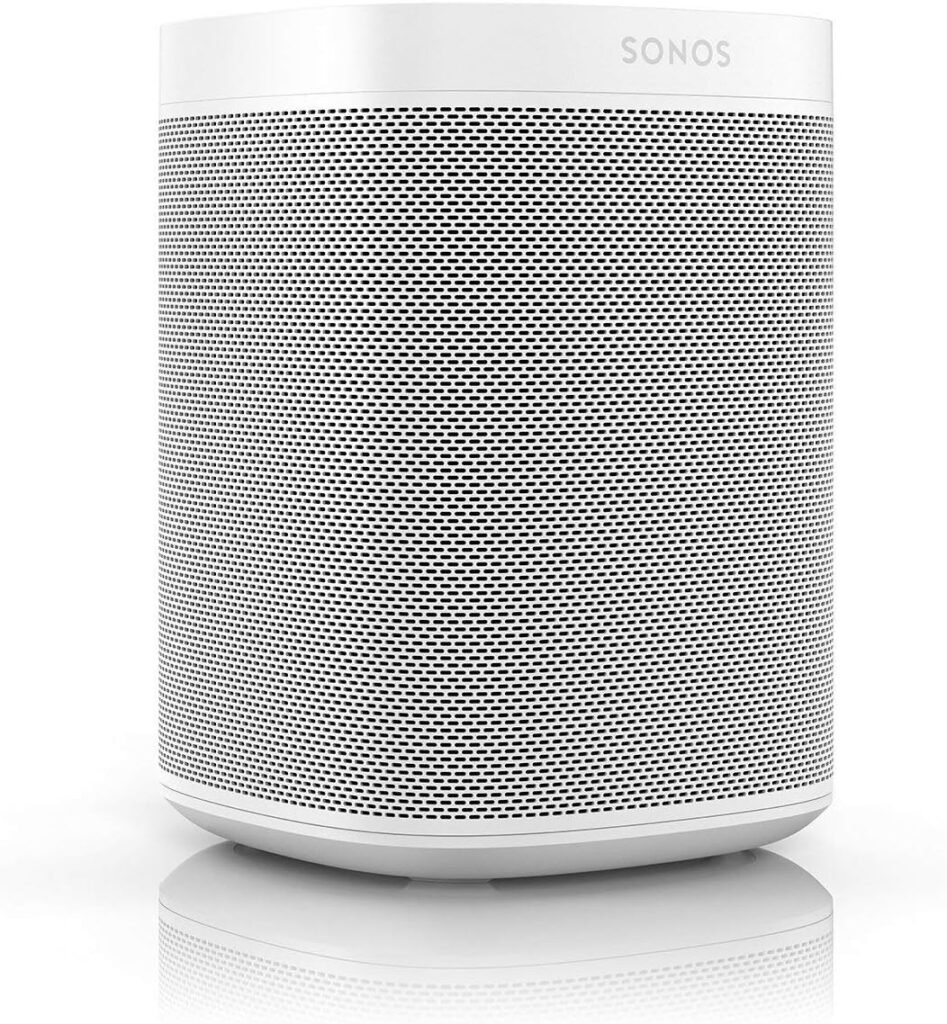
We can pair two Sonos Ones in the same room through the Sonos app. Once paired, one handles the left channel and the other handles the right channel, creating true stereo separation.
The result is a more spacious soundstage: instruments occupy clearer positions, and the sense of width and immersion improves noticeably. For music lovers, this can transform everyday listening into something much more engaging.
Surround Speakers with Sonos Soundbars
If we already own (or plan to buy) a Sonos Playbar, Playbase, or Beam, we can use a pair of Sonos Ones as rear surround speakers. This instantly gives us a more cinematic surround sound experience for movies and TV.
We appreciate that this configuration is purely wireless (apart from power cables), so we do not have to run long speaker wires around the room. For renters and anyone maximizing simplicity, that is a major plus.
Building a Whole-Home Sonos System
One of the core strengths of the Sonos One (2019) is how easily it connects wirelessly to other Sonos speakers, new or old. We can start with a single Sonos One and gradually add more speakers in other rooms.
Instead of thinking of each unit as a separate gadget, Sonos encourages us to think of the entire house as one coordinated audio system.
Multi-Room Audio and Grouping
With multiple Sonos devices, we can:
- Play the same audio in every room simultaneously
- Have different rooms playing different content at the same time
- Group and ungroup rooms on the fly in the app
For example, we might have calm background music in our home office while someone else listens to a podcast in the kitchen. During a gathering, we can group every room together so everyone hears the same playlist.
Expandability Over Time
Another advantage is that we do not need to buy everything at once. We might start with a Sonos One in the living room, then add another in the bedroom, then later add a soundbar and subwoofer.
Because Sonos updates its software over time, existing speakers often gain new features and integrations, making the ecosystem relatively future-friendly compared with many single-purpose speakers.
Connectivity and Setup Experience
The Sonos One (2019) runs primarily over Wi‑Fi rather than Bluetooth, which is central to how Sonos approaches multi-room audio and reliability.
We connect it to our home network, then control it via the Sonos app, Apple AirPlay 2, or Alexa.
Initial Setup Steps
Getting up and running typically looks like this:
- Plug in the Sonos One and wait for the indicator light pattern that signals readiness.
- Open the Sonos app on a phone or tablet.
- Follow the prompts to add a new speaker to our system.
- Connect it to our Wi‑Fi network (or to an existing Sonos network if we already have Sonos devices).
- Link our preferred music and streaming services.
The app walks us through each step, and we can also name the room where the speaker lives (for example: “Kitchen,” “Office,” or “Bedroom”) so grouping and commands are easy.
Wi‑Fi vs. Bluetooth
The Sonos One is focused on Wi‑Fi streaming, not Bluetooth. For some of us, this is a benefit: Wi‑Fi allows for more stable multi-room streaming and higher quality than many Bluetooth connections.
That said, if we are used to simply pairing everything by Bluetooth, there may be a short adjustment period while we get comfortable with the Sonos app and Wi‑Fi-based streaming.
Controls: Physical, App, and Voice
We get three layers of control with the Sonos One (2019): touch controls on the device itself, the Sonos app, and voice commands through Alexa (and AirPlay 2 via Apple devices).
Having multiple ways to interact may sound redundant, but in practice, it means we can use whichever approach is most convenient in the moment.
Touch Controls on the Speaker
The top touch surface gives us quick, quiet control:
- Tap to play or pause
- Slide or tap to adjust volume
- Tap for track skipping
- Tap the mic icon to turn voice control on or off
If we are near the speaker, these quick taps are often faster than pulling out a phone or shouting a command across the room.
Sonos App and Third-Party Controls
The Sonos app offers deeper control. We can:
- Manage multiple rooms
- Adjust EQ (bass, treble, loudness)
- Create or remove stereo pairs
- Set alarms and sleep timers
- Browse streaming services and radio
In addition, with Apple AirPlay 2 we can use iOS device controls, and with Alexa enabled we can often control playback using other Alexa-enabled devices as well.
Humidity Resistance and Durability
Humidity resistance is a subtle but important feature for real-world use. The Sonos One is not fully waterproof, but it is designed to handle steam and high humidity levels without issues.
This makes it suitable for bathrooms, laundry rooms, or steamy kitchens where traditional speakers may fail prematurely.
Practical Limits
Humidity resistant does not mean we can submerge the speaker or leave it where it will be constantly splashed or rained on. It is not rated for outdoor use or direct water exposure.
However, for indoor areas where moisture is part of everyday life, we can feel comfortable placing it and using it regularly, without worrying that the next hot shower will ruin it.
Pros and Cons of the Sonos One (2019) – Black
To make things easier to scan, we can break down key strengths and potential downsides in a simple table.
| Aspect | Pros | Cons |
|---|---|---|
| Sound Quality | Rich, room-filling sound; clear vocals; balanced tuning | Cannot match large hi-fi systems or big floor-standing speakers |
| Design & Build | Compact, solid, minimalist; fits most décor | No battery; requires a power outlet |
| Voice Control (Alexa) | Hands-free music, timers, news, smart home; good microphone pickup | Depends on Amazon ecosystem; some may not want Alexa in their home |
| Smart Features | Works with Sonos app, Alexa, Apple AirPlay 2; supports many services | No native Bluetooth playback |
| Multi-Room & Expansion | Easy pairing; multi-room audio; stereo and surround capabilities | Building a large Sonos system can become expensive |
| Room Flexibility | Suitable for most rooms; humidity resistant; strong at different volumes | Not intended for outdoor or rugged use |
| Ease of Use | Intuitive app; simple setup; multiple controls (touch, app, voice) | Requires a stable Wi‑Fi network |
This overview helps us quickly see where the Sonos One excels and where we need to consider our own preferences and setup.
Everyday Scenarios: How We Actually Use It
Sometimes product specs feel abstract, so it helps to imagine how this speaker fits into daily habits. The Sonos One (2019) is versatile enough to play several roles over the course of a typical week.
Morning Routine
In the morning, we might have the Sonos One play a gentle wake-up playlist or a favorite radio station. A quick voice command can give us the weather, traffic updates, or a morning news briefing while we get ready.
If we place it in the bathroom or bedroom, we can continue listening as we move around, or group it with another Sonos speaker in the kitchen to keep the same audio going as we make coffee.
Work and Study Sessions
During work or study time, we may use instrumental playlists, white noise, or ambient sounds. The Sonos One provides consistent, balanced sound that is pleasant without being fatiguing.
Using the Sonos app or AirPlay 2, we can quickly switch from background music to a podcast or online meeting replay without changing devices or inputs.
Cooking and Household Tasks
In the kitchen, hands-free voice control quickly becomes indispensable. With flour-covered hands, we can ask for timer adjustments, recipe conversions, or to switch tracks, all while keeping the volume appropriate for conversation.
We can also pause or skip a track with a quick tap on the top as we walk by, without needing our phone close by.
Evenings and Weekends
In the evening, two Sonos Ones in a living room can create a very satisfying stereo listening experience. We can stream music, watch TV with rear surround when integrated into a Sonos home theater system, or set up background music for gatherings.
When we want to wind down, sleep timers and soft playlists can gently fade out as we nod off, leaving the house quiet without needing to remember to turn anything off manually.
Compatibility with Other Services and Devices
One of the reasons the Sonos One remains relevant years after launch is its wide compatibility with streaming services and device ecosystems.
Rather than pushing us toward a single company’s music platform, it stays relatively neutral.
Music and Audio Services
Through the Sonos app, we can connect many major music and audio services, such as:
- Popular mainstream music services
- Internet radio platforms
- Podcast and audiobook platforms (via integrations or AirPlay/streaming)
Once connected, we can browse from within the app, or use Alexa (if supported by the service) to request specific artists, playlists, or stations.
Smart Home Ecosystems
While Alexa is built in, the Sonos One can also sit within wider smart home setups. For example:
- Alexa routines can include Sonos playback
- Home automation platforms that support Sonos can trigger or adjust playback
If we already have a smart home system, the Sonos One usually fits into the picture rather than existing in isolation.
Longevity, Updates, and Support
Sonos has a track record of supporting its products with software updates for many years, improving features and adding new integrations when possible.
Because the Sonos One is part of this ecosystem, we benefit from ongoing improvements without needing new hardware right away.
Software and Firmware Updates
Updates can add capabilities like new voice assistants (where supported), new streaming service integrations, and performance improvements.
The Sonos app typically alerts us when updates are available, and installation is straightforward. Over time, this can significantly extend the usefulness of the device.
Support Materials and Community
Beyond official support, there is a broad community of Sonos users who share tips, troubleshooting advice, and creative setups. If we ever run into issues or want to optimize our configuration, we are not alone.
Who Is the Sonos One (2019) – Black Best For?
Not every speaker is right for everyone, so it helps to be honest about who gets the most value from this particular model.
We see the Sonos One (2019) as especially suited for a few types of users.
Ideal Users
We think this speaker is a strong match if:
- We care about audio quality but do not have space for large speakers
- We want smart voice control built directly into our speaker
- We like the idea of building a multi-room system over time
- We use Apple devices and want AirPlay 2, or we are comfortable with Alexa
- We appreciate minimal, modern design that blends into our home
In short, this is a great option for people who want a premium-feeling, future-ready smart speaker in a compact form.
Who Might Want Something Else
It may not be the perfect fit if:
- We strongly prefer Bluetooth-only speakers and do not want to use Wi‑Fi or apps
- We need a fully portable speaker with a built-in battery
- We want very loud, party-level sound in a large open space with deep bass
- We do not want any voice assistant hardware in our home
In those cases, we might look at battery-powered portable speakers, larger hi-fi setups, or non-smart speakers that rely only on wired connections or Bluetooth.
Practical Tips for Getting the Most from Sonos One
To wrap up our practical perspective, there are a few ways we can maximize what the Sonos One (2019) offers once we own it.
Placement and Room Acoustics
Where we place the speaker matters. We tend to get better sound if we:
- Keep it away from very tight corners or fully enclosed shelves
- Leave a bit of space around it for air to move
- Place it roughly at ear level when possible, especially for music-focused listening
Experimenting with different spots can reveal surprising improvements in clarity and bass.
Fine-Tuning with the Sonos App
Within the Sonos app, we can adjust bass, treble, and loudness. Spending just a couple of minutes tailoring these settings to our room and taste can make a big difference.
If the app offers any room-tuning features in our region or on our device, it is worth trying them to optimize sound for the specific acoustics of our space.
Our Overall Verdict on the Sonos One (2019) – Black
After looking closely at the design, sound quality, smart features, and flexibility of the Sonos One (2019) – Black, we see it as a compact, premium smart speaker that is easy to live with day to day.
We get:
- Rich, room-filling sound in a small footprint
- Built-in Alexa voice control for hands-free convenience
- Strong integration with the Sonos ecosystem and Apple AirPlay 2
- Flexibility to start small and grow into a multi-room or home theater setup
It is not a rugged outdoor speaker, nor a substitute for a large hi-fi system, and it assumes we are comfortable with Wi‑Fi and apps rather than traditional Bluetooth-only connections. But for many homes and apartments, it hits a compelling sweet spot of size, sound, and intelligence.
If we want a smart speaker that sounds noticeably better than basic assistants, can expand into a whole-home system, and slides naturally into modern living spaces, the Sonos One (2019) – Black is a very strong contender for our daily listening.
Disclosure: As an Amazon Associate, I earn from qualifying purchases.


 – Black review)